

Financial institutions must report certain transactions and activities to regulatory authorities—including suspicious transactions, large cash deposits, foreign transfers, and activities that may indicate money laundering or financial crimes. Sigma’s reporting feature simplifies this process. You can set up your reporting entity and reporting agent, create reports manually from transactions or CSV uploads, manage recurring reporting rules, complete reports in a guided report page, and move reports through internal review before exporting XML. This helps compliance teams manage the reporting lifecycle from one place instead of piecing it together manually. In practice, Sigma supports the work of identifying reportable records, preparing the filing, collecting supporting context, and moving the report through review before export.Documentation Index
Fetch the complete documentation index at: https://sigma-docs.pastel.africa/llms.txt
Use this file to discover all available pages before exploring further.
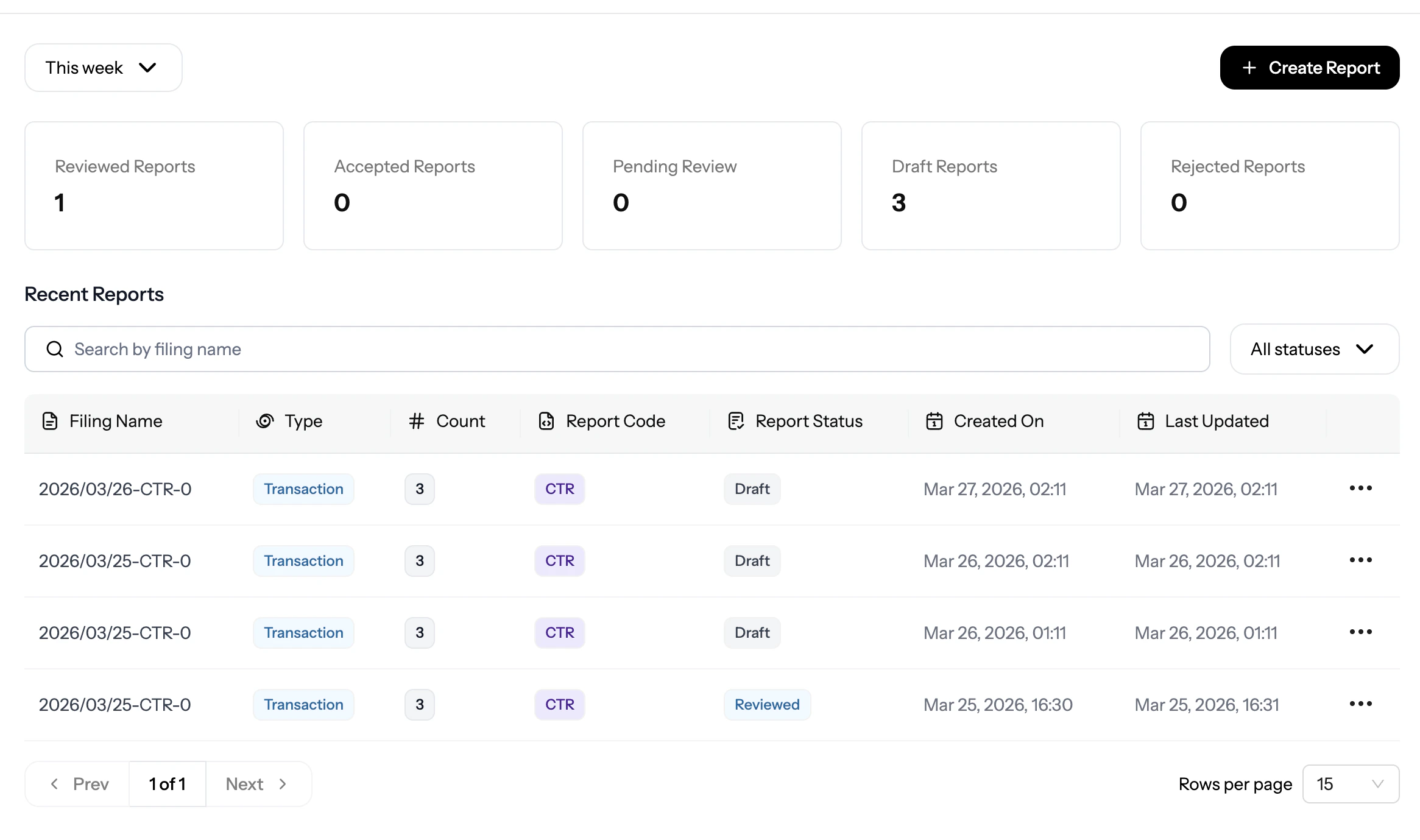
Example:
Reporting on Sigma
Prerequisites
Before you begin using Sigma’s reporting features, ensure you have:- Active Sigma Account: A registered and verified Sigma account with reporting permissions
- Business Profile Setup: Your business profile must be configured with:
- Valid business information and regulatory licenses
- Compliance officer details and contact information
- Regulatory reporting requirements for your jurisdiction
Report Types
NFIU Reports
Generate reports for the Nigerian Financial Intelligence Unit including CTR,
FTR, STR, and SAR reports
Key Features
- Manual report generation - Create reports from CSV uploads or selected transactions
- Rule management - Publish, pause, review, and delete reporting rules from the Rules page
- Guided report completion - Fill in general information, transactions or activity, investigations, indicators, and attachments on the report page
- Approval workflows - Save drafts, submit reports for review, approve or reject them, and reopen reviewed reports when changes are needed
- Export options - Generate XML files when reports are ready for regulatory submission
How reporting works in Sigma
At a high level, the reporting flow usually follows this sequence:- Configure your Reporting Entity and Reporting Agent
- Choose whether to create a report manually or work from saved reporting rules
- Build the report from transactions, CSV uploads, or server-fetched data
- Complete the report details, investigations, indicators, and attachments
- Move the report through internal review
- Export the XML when the report is ready
Report Generation Methods
Manual Reporting
Create reports on demand by selecting transactions, uploading CSV files, or
retrieving transaction details from your server.
Automatic Reporting
Save recurring reporting checks as rules and manage them from the Rules
page.