

Documentation Index
Fetch the complete documentation index at: https://sigma-docs.pastel.africa/llms.txt
Use this file to discover all available pages before exploring further.
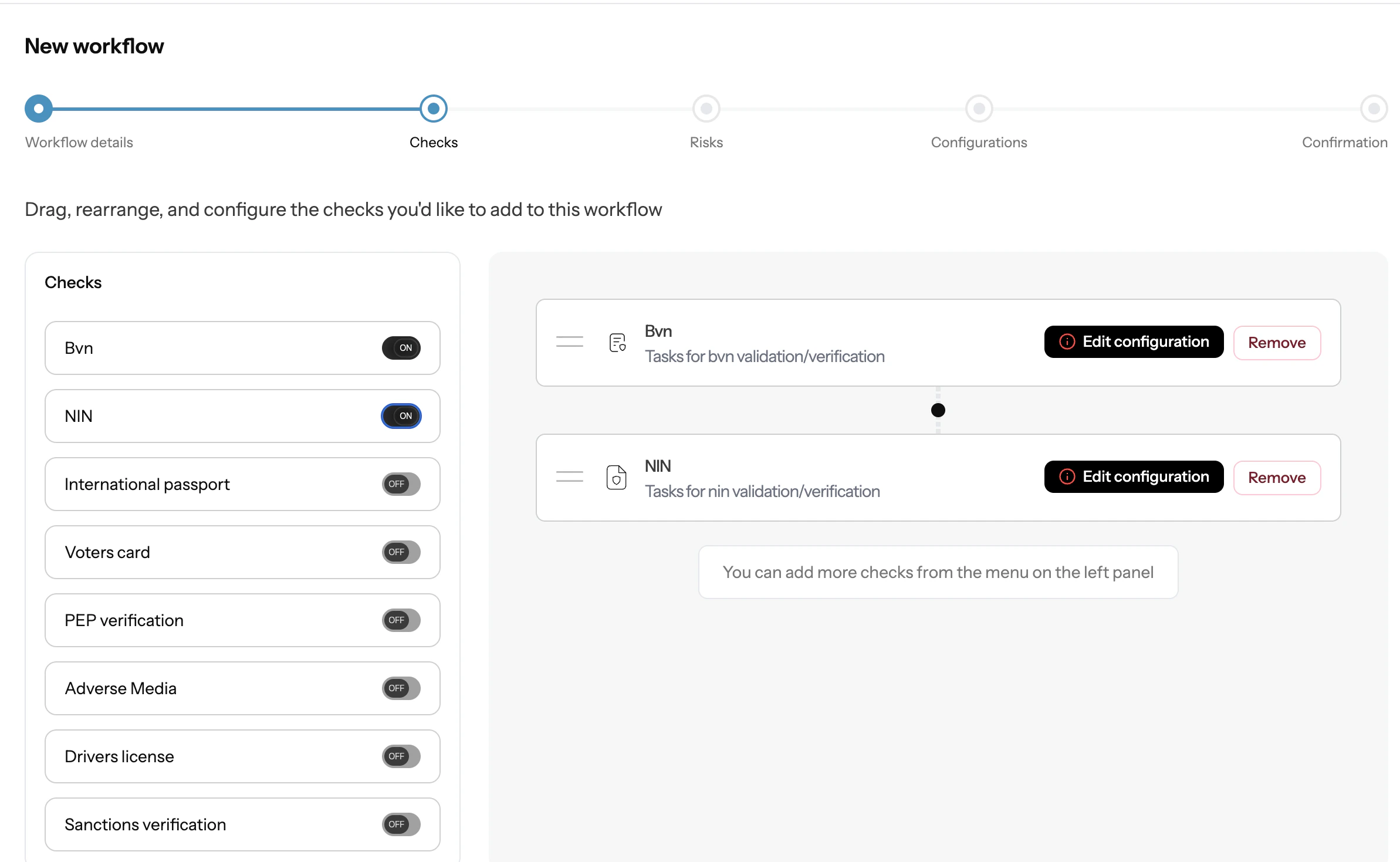
Example:
Image shows creating workflow checks for CDD from sigma dashboard
The CDD Flow
Running CDD in Sigma follows a structured flow from setup through to reporting: 1. Create a Workflow A workflow defines the checks to run, the risk criteria to apply, and how often checks should repeat. You create and manage workflows from the Workflows screen in the dashboard. Each workflow is scoped to a customer type, eitherindividual or corporate. You can create multiple workflows for different customer segments or risk profiles.
See how to create a workflow →
2. Add Your Customers
Before running CDD, customer records must exist in Sigma. You can add customers one at a time, via bulk CSV import, or through the API.
Once added, customers can be organised into Customer Groups for batch operations, useful when running periodic reviews across a segment of your customer base.
See how to manage customers →
3. Run CDD
With a workflow ready and customers added, you can trigger CDD from:
- A Customer record to run checks on a single customer
- A Customer Group to run checks on all customers in the group at once
- Verification outcomes: pass, fail, or pending per check
- Risk score and tier: low, medium, or high based on your configured risk criteria
- Screening results: any PEP, sanctions, or adverse media matches
Prerequisites
Before running your first CDD workflow, make sure you have:- A webhook URL configured in API & Webhook settings
- At least one workflow created in the Workflows screen
- Customer records added to Sigma (individually, via bulk upload, or API)
Create Workflow
Configure checks, risk criteria, and execution settings.
Reports
Generate compliance-ready CDD reports for customers.
Customers & Groups
Understand customer records and group operations.