

Documentation Index
Fetch the complete documentation index at: https://sigma-docs.pastel.africa/llms.txt
Use this file to discover all available pages before exploring further.
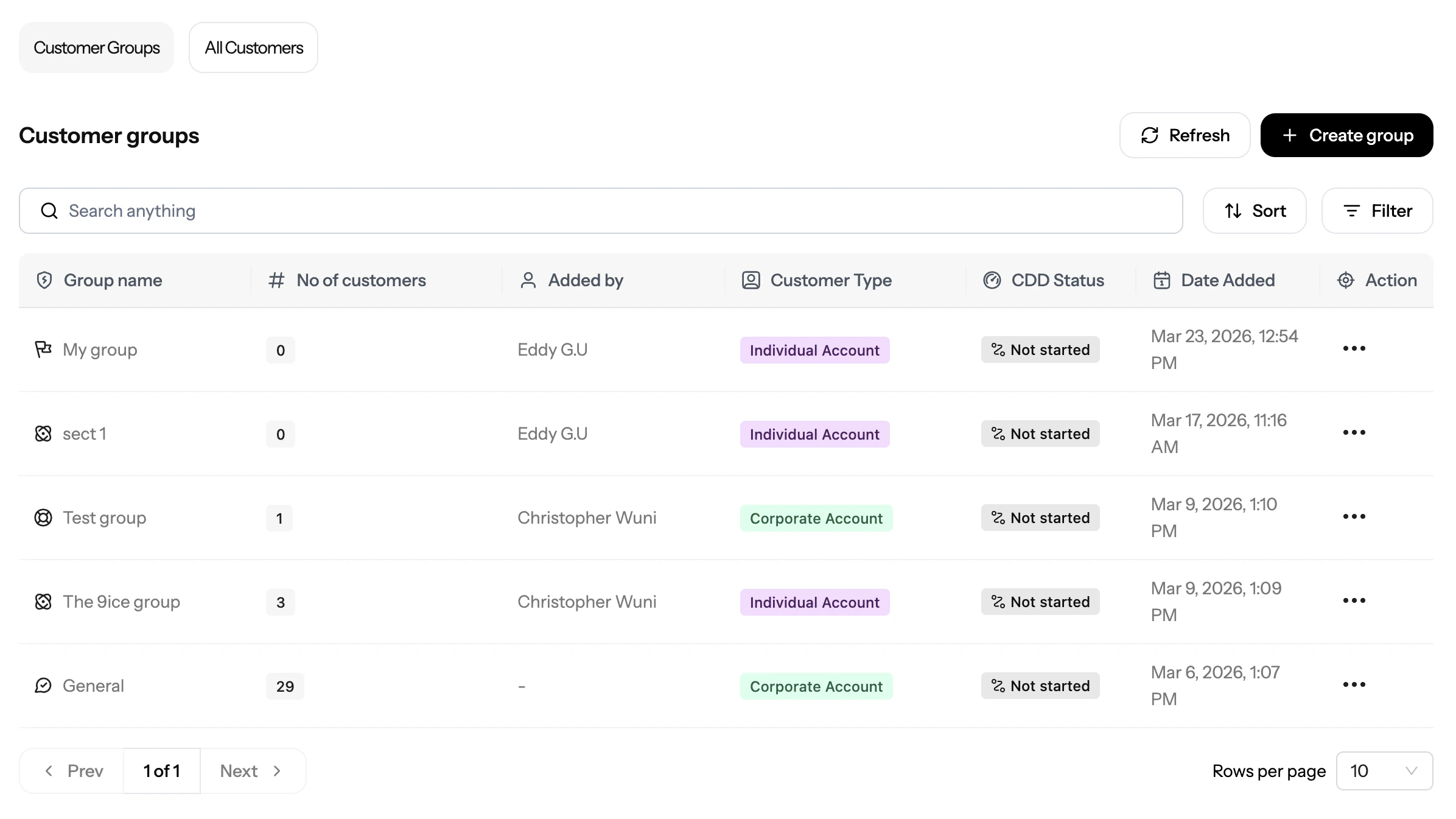
Example:
Image shows customers and customer groups on sigma dashboard
Customer Types
Sigma CDD supports two customer types. The type you select determines which identity checks and risk criteria are available in your workflow.| Type | Who it covers |
|---|---|
| Individual | Natural persons: retail customers, sole traders, beneficial owners |
| Corporate | Registered businesses, companies, and other legal entities |
Individual Customer Fields
When adding an individual customer, you provide:- Full name (first name and last name)
- Date of birth
- Nationality / country of residence
- Phone number
- Email address
- Unique ID (your internal identifier for this customer, used for API lookups)
- Government ID details (BVN, NIN, passport number, or other document identifiers depending on the checks configured in your workflow)
Corporate Customer Fields
When adding a corporate customer, you provide:- Business name
- Registration number
- Country of incorporation
- Business address
- Contact details
- Unique ID (your internal identifier for this entity)
- Beneficial owner details (directors and shareholders above the ownership threshold, typically 25%)
How to Add Customers
There are three ways to add customers to Sigma: Single entry (Dashboard)- Open Customers in the Sigma App
- Click Add Customer
- Select the customer type (
individualorcorporate) - Fill in the required fields and submit
- Open Customers and click Add Customer
- Select Import customers from file
- Download the CSV template for your customer type
- Fill in the template, one row per customer
- Upload the completed file
The CSV template varies by customer type. Use the individual template for natural persons and the corporate template for business entities. Mixing types in one file is not supported.
Customer Records
Once added, each customer has a record in Sigma that stores:- Profile data (the identity fields submitted at creation)
- CDD request history (all past and pending workflow runs)
- Risk profile (current risk tier and score from the latest completed run)
- Screening results (PEP, sanctions, and adverse media outcomes)
- Generated reports (compliance reports produced for this customer)
Customer Groups
A customer group is a collection of customers of the same type. Groups let you organise your customer base and run CDD on multiple customers at once, useful for periodic reviews across a cohort. When to use groups:- Running quarterly or annual reviews across a segment (e.g. all high-risk retail customers)
- Onboarding a batch of customers at the same time
- Tracking the progress of a bulk CDD run
- Open Customers and switch to the Customer Groups tab
- Click Create Group
- Enter a group name and select the customer type
- Add customers to the group (you can add individually or import)
- Save the group
Reports
Generate compliance-ready CDD reports for customers.
Getting Started
Follow the full setup and operations flow.